 Tooly
ToolyMost people don’t need one group — they need the three or four groups they already live in, gathered into one list they can actually read. Your course cohort, your building’s residents, the crew from last year’s event: the same faces keep reappearing across them. Tooly reads those member lists out of your own signed-in WhatsApp Web session, on your device, read-only, and writes them into a single file.
Three groups in, one list out
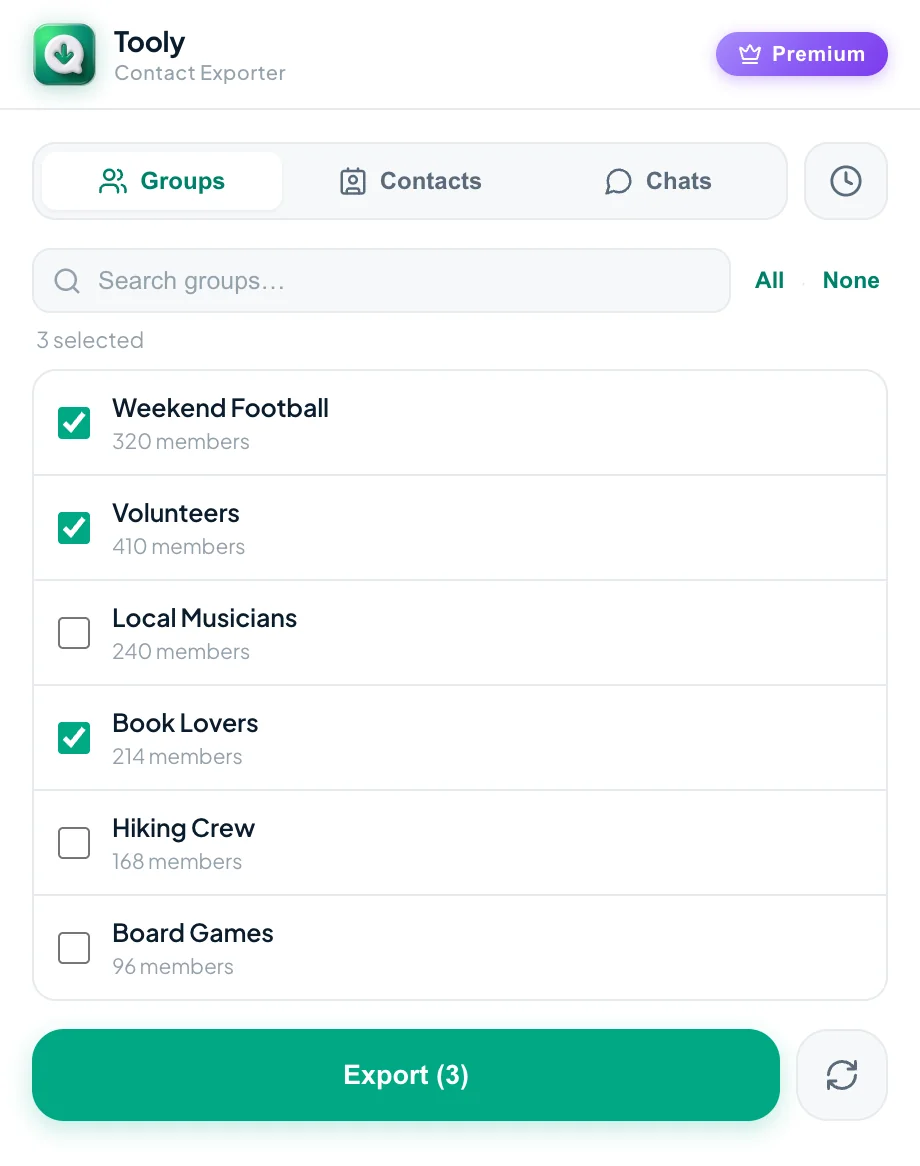
Tick several groups in Tooly and they don’t become several files — they become one. Each person keeps a record of where they came from, so the merged list still knows who is a neighbour and who is a classmate.
How duplicates collapse
Matching is done on the phone number, never on the name displayed on screen. That matters, because the same person is rarely written the same way twice: in one group they are whatever they typed as their WhatsApp name, in another they are however you saved them in your own address book. Tooly treats those as one person because the number underneath is identical.
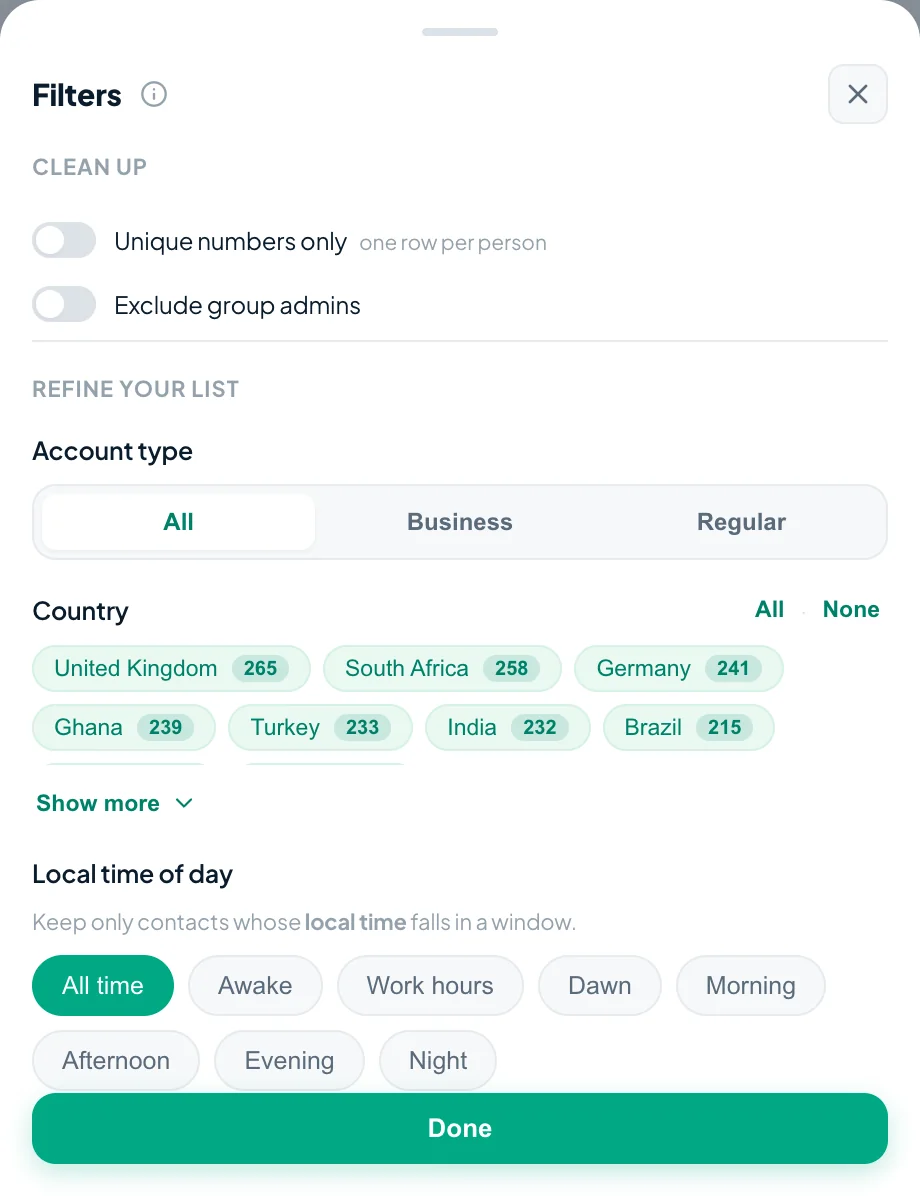
Whether that collapse happens is decided by one switch — Unique numbers only, in Tooly’s filter panel. It is worth reading in both positions, because they produce genuinely different files and neither one is wrong.
One row per person
Duplicates merge. Each number appears exactly once, and the row carries every group that person belongs to in the file’s final Groups column. Use it for a clean headcount or an address book. It is a Premium option.
One row per membership
Nothing merges across groups. Someone in two groups gets two rows, each stamped with a single group in the file’s final Source column. Use it when you want per-group attendance rather than a de-duplicated list.
What the merged file contains
The origin survives the merge — that is the whole point of it. Whichever way the switch is set, the last column of the file records where each person came from: a single group name per row when it is off, or the full set of that person’s groups, separated by semicolons, when it is on. Everything before that column is the member: their name, the number available to you, and the details Tooly derives from that number.
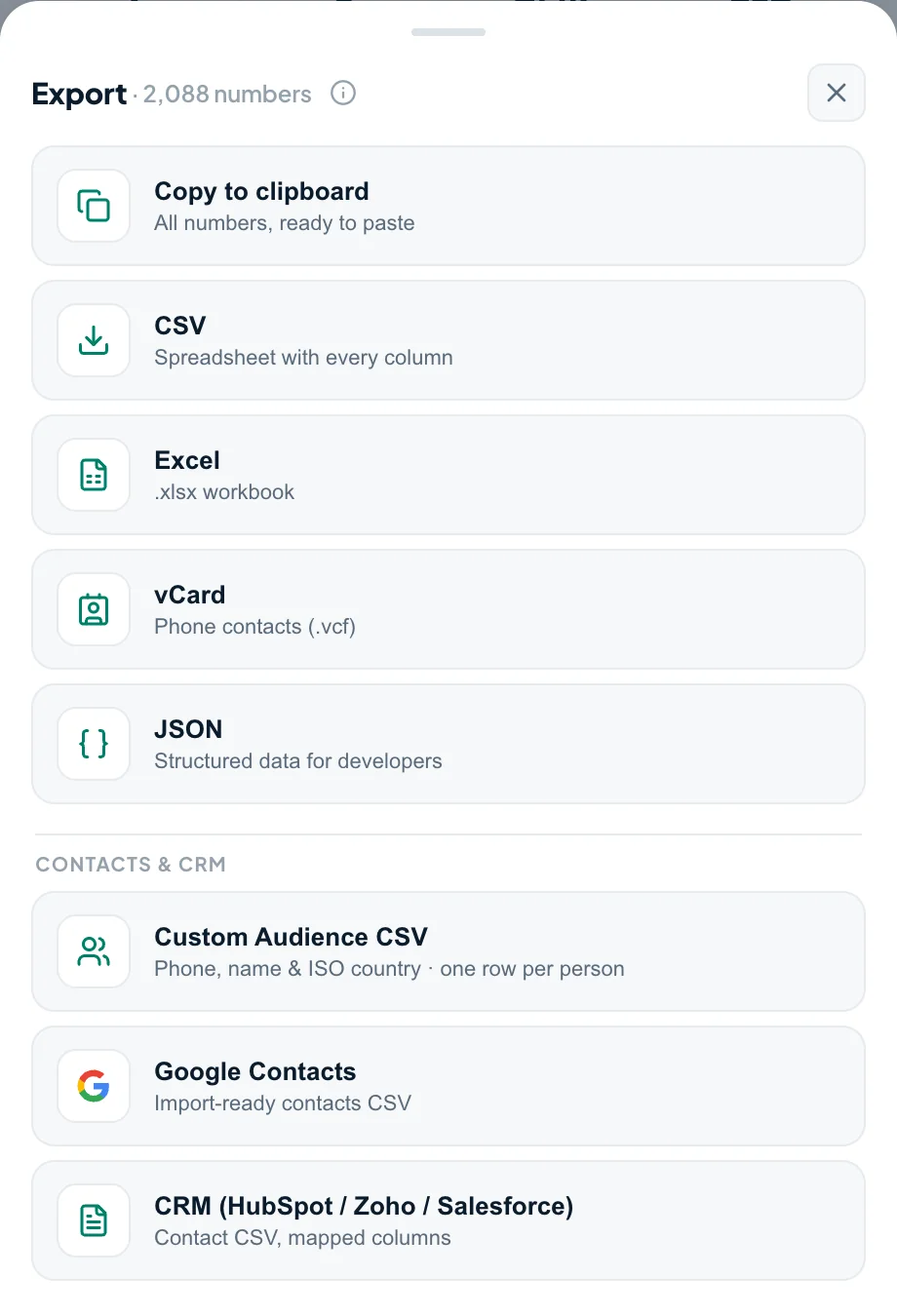
- CSV and Excel (.xlsx) — the full table, every column, ready to sort or headcount. To export WhatsApp group members to Excel, pick Excel instead of CSV in the same menu; the Excel export guide walks through the columns.
- vCard (.vcf) — one card per number for your phone’s address book. vCard always de-duplicates, whatever the switch says, because a contacts app cannot hold the same number twice.
- Copy to clipboard — the numbers on their own, for when you only need to paste them somewhere.
JSON and the ready-mapped contact presets are Premium; everything above is free and unlimited.
Do it in four moves
- Open each group you want on web.whatsapp.com so WhatsApp loads its member list.
- Press Scan WhatsApp in Tooly’s side panel — read-only, and nothing leaves your device.
- In the Groups tab, tick all the groups that should land in the same file.
- Choose Export and save as CSV, Excel or vCard — the group each person came from travels with them.
Not installed yet? Add Tooly to Chrome first — one click, free, nothing to register.
Whose numbers you can actually export
Only the members whose numbers are already visible to you in your own signed-in WhatsApp Web session. WhatsApp deliberately withholds the number of anyone who has not shared it with you and whom you have not saved as a contact, and Tooly marks those as private rather than inventing a number. Merging groups does not reveal a single number you could not otherwise see — combining three lists only rearranges what was already in front of you, and a member hidden in one group stays hidden in the merged file.
This is a tool for organising your own contacts and the groups you are a member of — the neighbours, classmates and friends you already talk to. It is not for assembling a list of strangers. Use what you export lawfully, with consent, and in line with WhatsApp’s terms: never send unsolicited messages.
Frequently asked questions
How do I export a WhatsApp group members list?
Open the group on web.whatsapp.com so its member list loads, then press Scan in the free Tooly extension. Tick the group in the Groups tab and choose Export — CSV, Excel or vCard. Each member becomes one row with their name and the number available to you. It is read-only and runs on your device.
Can I merge several WhatsApp groups into one list?
Yes. Tick as many groups as you like in the Groups tab and export once. Everyone lands in a single file, and the group each person came from travels with them, so a merged list never loses track of where someone belongs.
What happens to people who are in two of my groups?
They are matched by phone number, not by the name on screen. With Unique numbers only switched on they collapse into a single row that lists every group they belong to. Switched off, you get one row per membership, so the same person appears once for each group.
How do I export WhatsApp group members to Excel?
In Tooly’s export menu choose Excel (.xlsx). Every member becomes one row with their name and available number in their own columns, and the final column records the group or groups they came from. Select several groups first and they merge into a single sheet.
How do I download WhatsApp group phone numbers?
Open the group on WhatsApp Web so the member list loads, press Scan in the free Tooly extension, tick the group in the Groups tab, then Export. Tooly saves each member’s name and the phone number available to you as a CSV, Excel or vCard file — read-only, on your device, and free.
Does merging groups reveal numbers I could not see before?
No. Merging only rearranges what your own signed-in WhatsApp Web session already shows you. A member whose number WhatsApp withholds stays withheld in every group you export, and Tooly never guesses a number.
Why are there fewer rows than the group member counts add up to?
Because people who belong to more than one of the selected groups are counted once. Adding the member counts together gives you memberships; a de-duplicated list counts people instead, so it is normally the smaller number.
Is exporting group members free?
Yes — scanning your groups and exporting them to CSV, Excel or vCard is free and unlimited, with no account required. The Unique numbers only switch that collapses a person’s memberships into one row is a Premium option, and vCard files are always one card per number.
Should I message everyone in the merged list?
Only people who expect to hear from you. Tooly is a read-only export tool for organising your own contacts and the groups you belong to — never send unsolicited messages, and use exported data lawfully and in line with WhatsApp’s terms.
Merge your groups into one list
Three groups in, one clean file out — names and the numbers you can already see. Free, and never uploaded.
Add Tooly to Chrome — free