 Tooly
ToolyYes, you can export your WhatsApp contacts — WhatsApp simply never put a button on it. The names and numbers already sit inside your account; all that's missing is a way to lift them into a file you can keep. This guide covers every method, shows which file format suits which job, and points you to the fastest route.
Can you export WhatsApp contacts?
Short version: yes, but not from within the app. There has never been an "export contacts" option in WhatsApp — not on your phone, not on WhatsApp Web. That's a deliberate omission rather than a technical barrier, because the data is right there in your signed-in session. A lightweight helper reads that session and returns a downloadable list. No workaround on your phone, no new account, and nothing injected into WhatsApp.
What you can pull out
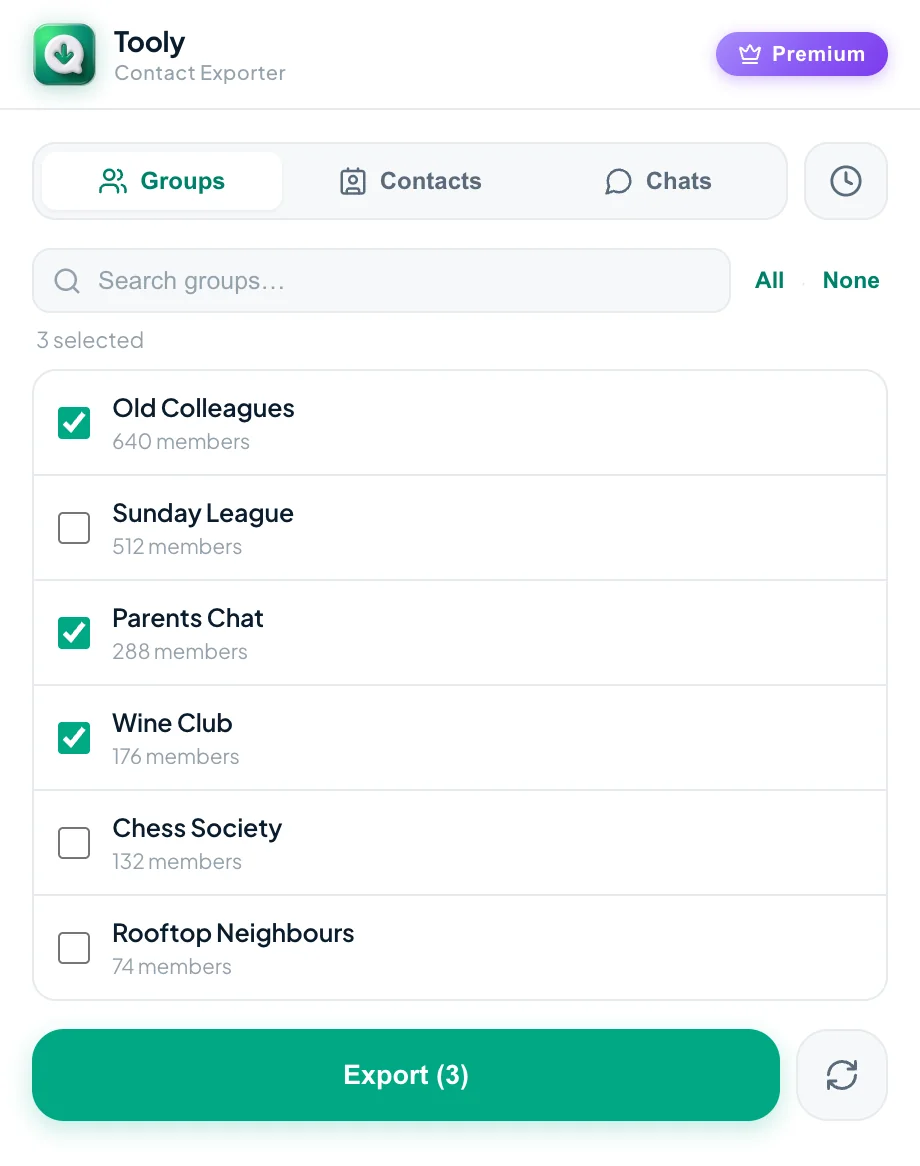
WhatsApp hides three different lists, and it pays to know which one you're chasing before you start:
- Your saved contacts — everyone in your address book who also uses WhatsApp.
- Group members — the people inside any group you belong to, including ones you never saved. See how to export WhatsApp group members.
- Chat participants — anyone you've had a one-to-one conversation with.
A good exporter lets you flip between the three with a single tab and grab whichever list you're after.
Which file format do you actually need?
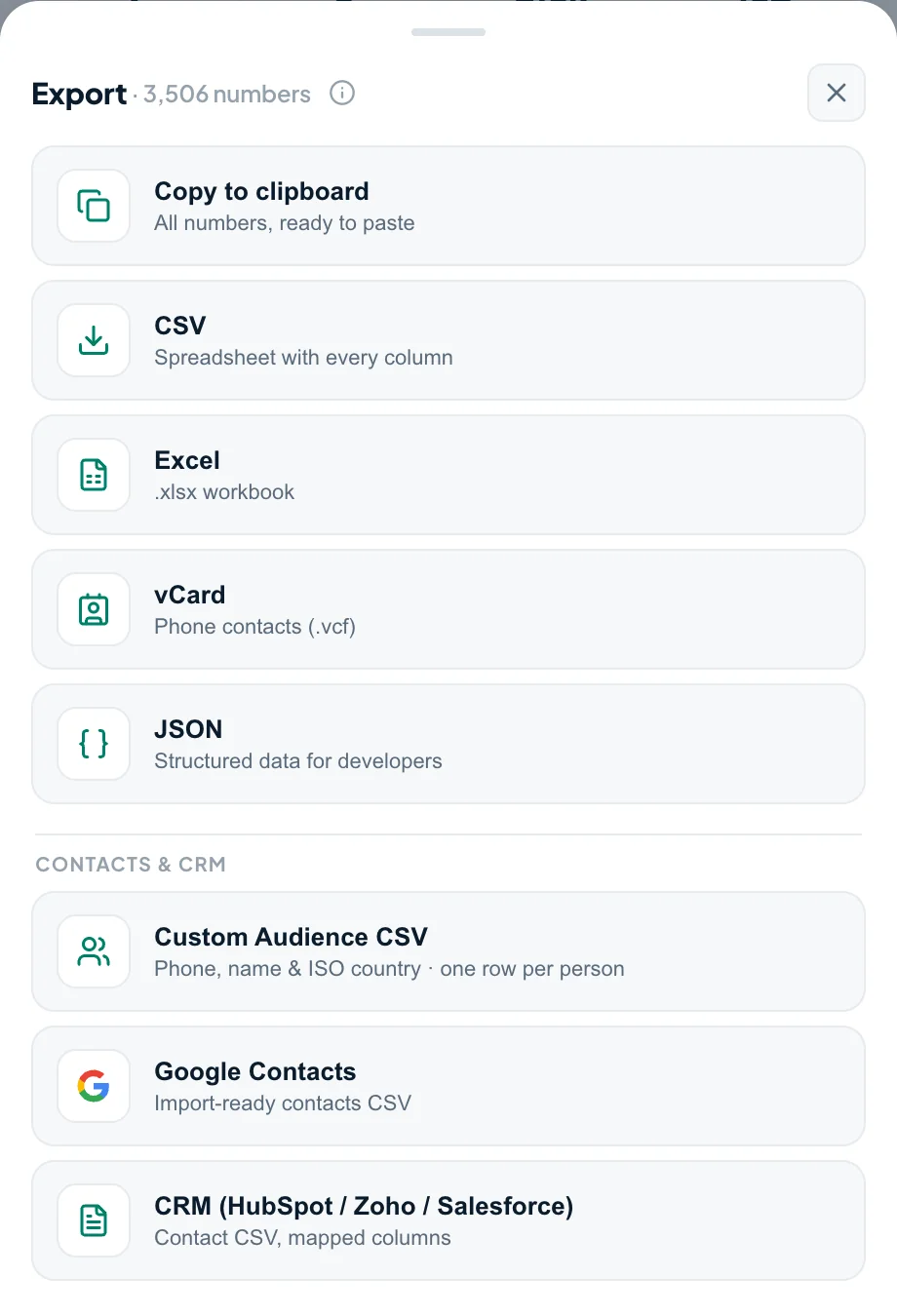
The format you pick decides where your contacts can travel next, so choose by destination rather than habit:
| Format | Reach for it when you want to… |
|---|---|
| Excel / CSV | Sort, edit, de-duplicate, or feed a CRM. → Export to Excel |
| vCard (.vcf) | Drop the numbers straight into a phone — iPhone, Android, Outlook or Google Contacts. |
| Google Contacts | Sync the list into Gmail and your Google account — import a free CSV or vCard, or use the ready-mapped Google Contacts CSV (Premium). → sync WhatsApp contacts to Gmail |
| JSON | Hand structured data to a developer, script or automation (Premium). |
Tooly writes all of these from one scan, so you're never boxed into a single format.
The quickest way — a free Chrome extension
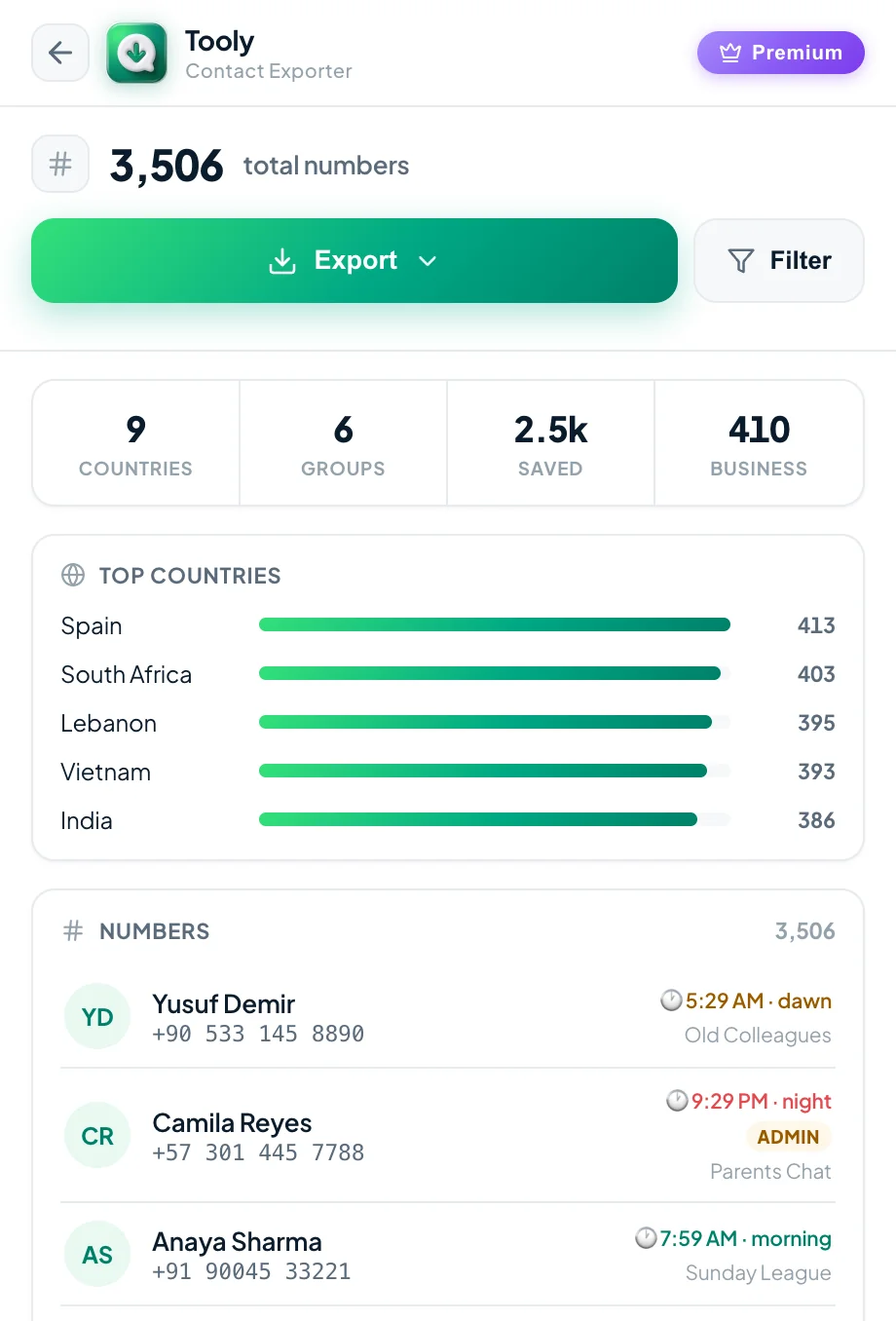
When you just want it finished, a browser extension is the shortest path. Tooly is a free Chrome extension that reads your WhatsApp Web session on your own machine and turns it into a tidy file — with the country, dial code and each contact's time zone worked out along the way. It only ever reads: it never sends a message, never touches your account, and never uploads a thing.
Export your contacts in four steps
- Add ToolyInstall the free extension from the Chrome Web Store — no account.
- Open WhatsApp WebSign in at web.whatsapp.com by scanning the QR code with your phone.
- ScanOpen Tooly and press Scan; it reads the contacts already loaded in your session.
- DownloadPick a format and the file lands in your Downloads folder.
Want the full screenshots? Each job below has its own step-by-step walkthrough.
Pick the guide for your job
Export to Excel
Your whole address book as a clean .xlsx or CSV spreadsheet.
Open guide →Export group members
Turn a group into a list of names and available numbers.
Open guide →Back up before a new phone
Save a portable copy before you switch phones or numbers.
Open guide →Free, no-limit export
The entire list, no cap and no account — genuinely free.
Open guide →Which exporter is best?
How to choose one safely — permissions, privacy and price, compared.
Open guide →Moving to a new phone?
Take your WhatsApp contacts with you — vCard or Google Contacts.
Open guide →Export to CSV
The universal file that imports into any CRM, Google or Outlook.
Open guide →Export to vCard
A .vcf that drops into your iPhone, Android or Mac address book.
Open guide →Get them into iCloud
Sync your numbers across iPhone, iPad and Mac.
Open guide →Move to a SIM card
The real route to get your numbers onto a SIM.
Open guide →WhatsApp Business contacts
Export your own customer list, labels and numbers.
Open guide →Is it safe?
A 6-point checklist to tell a safe exporter from a risky one.
Open guide →
Frequently asked questions
How do I get a list of all my WhatsApp contacts?
WhatsApp has no built-in way to list them, but the free Tooly extension reads your signed-in WhatsApp Web session and builds the list for you. Press Scan, pick the Contacts tab for your whole address book, then export to Excel, CSV or vCard (JSON with Premium). It's read-only, on-device and needs no account.
Can you export WhatsApp contacts?
Yes — just not from inside the app. WhatsApp has no export button, but your names and numbers live in your signed-in session. A read-only helper reads that session and gives you a downloadable file, with no account and nothing added to WhatsApp.
Can you export WhatsApp contacts for free?
Yes. Tooly exports your full list to CSV, Excel and vCard for free, with no contact limit and no sign-up. Premium only adds extras like filters and one-click CRM presets.
Can you export WhatsApp contacts without an app?
You need something to read your session, but it needn't be a separate app. A browser extension is the lightest option — it runs inside Chrome on WhatsApp Web, with nothing to install on your phone.
Where are WhatsApp contacts stored?
In your phone's address book and your WhatsApp account — not in a file you can open. That's the whole reason to export: to turn that hidden list into a spreadsheet or contact file you own.
How do I copy WhatsApp contacts to my phone?
Export them as a vCard (.vcf) file, then open or import that file on the phone. The numbers drop straight into your Contacts app.
Is exporting my WhatsApp contacts safe?
With a read-only, on-device tool, yes. Tooly reads only the list you choose, never sends a message, and processes everything in your browser — your contacts are never uploaded anywhere.
Get your WhatsApp contacts out today
Free, read-only, and 100% on your device. Add Tooly and turn your list into a file in a couple of minutes.
Add Tooly to Chrome — free